
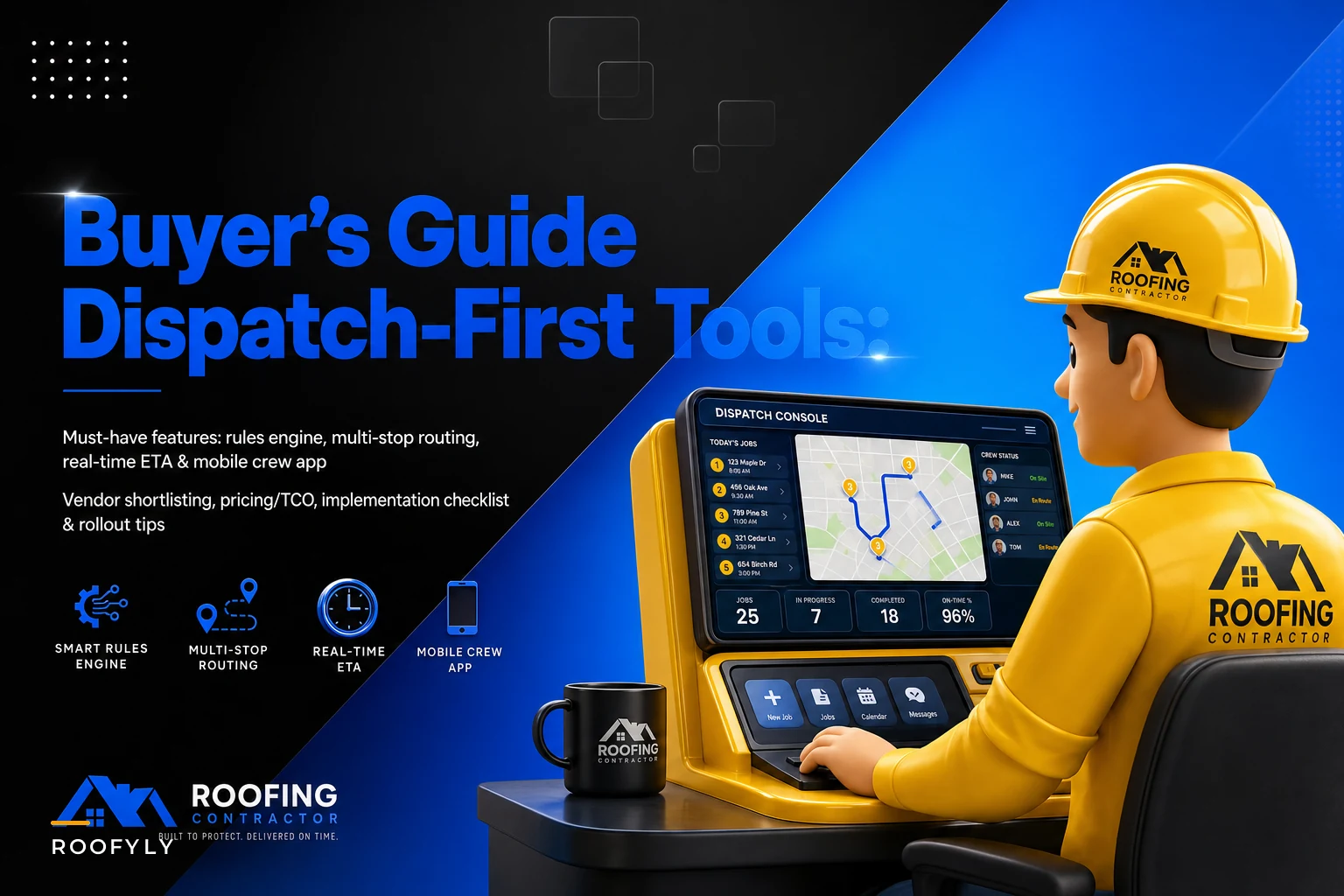

Most roofing software demos are built to impress an office manager, not a dispatcher. The salesperson walks you through a clean CRM pipeline, shows off the estimating module, maybe flashes a dashboard with some nice charts — and never once shows you what happens when a crew finishes two hours early, a tear-off reveals rot that blows up the schedule, or a supplier pushes a delivery to the afternoon.
For a residential roofing operation, that's the part that actually determines whether your day runs smooth or falls apart. If you're shopping for roofing management software and your biggest daily pain is coordination across crews, routes, and real-time changes, you need to evaluate these tools through a dispatch-first lens. Everything else is secondary.
This guide is built around that priority. It won't rehash how to actually build routing templates or buffer rules — that operational breakdown is already covered in the post on fixing daily dispatch chaos with rule-based multi-stop routing templates. This is specifically about what to look for in the software itself, how to run the demos, what pricing really costs you, and where vendors quietly fall short.
Why "dispatch-first" changes what you're even shopping for
The mistake that costs roofing companies the most during software selection: they rank features by what looks impressive in a demo instead of what gets used 40 times a day.
A CRM with beautiful reporting but a clunky scheduling board gets abandoned within three months. Crews work around it, dispatchers keep a side spreadsheet, and you end up paying for software that documents chaos instead of preventing it.
In real operations, the tools that stick are the ones that make hard daily decisions faster. When a job gets delayed, can the dispatcher see which crew is closest, who has capacity, and what the drive time looks like — in under a minute? Can they reassign without re-typing everything? Can the crew see the change on their phone before they load the truck in the wrong direction?
A typical four-crew operation running 12–16 jobs a week loses roughly half a day per week to re-coordination — crews driving to the wrong address, materials showing up where nobody's working, foremen calling the office to ask what's next. That's not a people problem. That's a tooling problem, and it's exactly what a dispatch-first platform is built to solve.
Score every vendor on how well it handles movement, reassignment, and real-time change. That's your filter before anything else.
The must-have feature set (and what each one actually needs to do)
Feature checklists are easy to pad. Vendors list 60 capabilities and hope you don't notice which ones are half-baked. Below is the short list that matters for a dispatch-heavy residential operation, with the specific behavior you should be verifying — not just whether the box exists.
Keep every roofing job on track and on time.
Roofyly helps you manage, schedule, and communicate every roofing project with precision and ease.
- Centralized project planning
- Real-time crew notifications
- Integrated scheduling & client updates
No credit card required
| Feature | What it must actually do | Common way it falls short |
|---|---|---|
| Rules engine | Auto-assign or flag jobs based on crew skill, zone, job type, capacity | "Rules" are just color tags with no logic behind them |
| Multi-stop route planner | Sequence multiple stops per crew per day with drive time factored in | Only handles one job per crew; no true multi-stop sequencing |
| Real-time ETA / telemetry | Live crew location and updating arrival estimates | Location updates every 30+ min or requires manual check-in |
| Mobile crew app | Works offline, shows the day's stops, accepts schedule changes instantly | Needs constant signal; changes don't push to the field |
| Schedule optimization | Suggests better sequencing when jobs shift | "Optimization" is manual drag-and-drop only |
| Estimating / CRM integration | Won jobs flow into scheduling without re-entry | Export/import CSV instead of live sync |
| Materials / inventory tracking | Ties material readiness to job scheduling | Tracks inventory but doesn't link it to the schedule |
| Billing / invoicing | Triggers invoices off completion milestones | Standalone module that doesn't know the job is done |
The rules engine is the one people underestimate most. A genuine rules engine lets you encode decisions you currently make in your head — "steep-pitch jobs only go to Crew A," "anything past the county line needs a two-hour buffer," "no new tear-offs assigned after 1pm." When those live in the software, dispatch stops depending on one person's memory. When they don't, you've bought a digital whiteboard.
Where AI automation actually earns its place
Most platforms worth considering now have some layer of AI-assisted scheduling baked in — and in this context it's actually useful, not marketing fluff. The practical value shows up in two spots: resequencing and pattern recognition.
When a job cancels or runs long, an AI-assisted scheduler can recalculate the rest of the crew's day in seconds, factoring in drive times and remaining capacity, and surface the best reshuffle for the dispatcher to approve. The dispatcher still makes the call — but they're not doing the math under pressure. That's the difference between a 15-minute scramble and a 90-second adjustment.
The second spot is pattern prediction: flagging that a certain job type consistently runs over its allotted window, or that a specific zone eats more drive time than budgeted. That's not magic — it's the software noticing patterns in your own historical data that no dispatcher has time to track manually.
Treat it as a decision aid, not an autopilot, and it pulls real weight.
A procurement checklist you can actually run
Use this during your evaluation phase, before demos. Check off what you can confirm independently.
-
Platform supports true multi-stop routing (more than one job per crew per day, sequenced)
-
Rules engine allows conditional auto-assignment, not just labels
-
Mobile app has a documented offline mode with sync behavior you can test
-
Schedule changes push to the crew app without a manual refresh
-
Live crew location updates at least every few minutes
-
Two-way integration (not just import) with your estimating/CRM tool
-
Materials status can be tied to a job's scheduling status
-
Billing can trigger off job completion, not manual entry
-
You can export all your data if you leave (ask for the format)
-
Pricing is clear on per-user vs per-crew vs flat before you talk to sales
-
There's a real implementation plan, not "you'll figure it out"
-
Support response times are in writing, not verbal promises
If a vendor can't clear at least nine of these, they're not a dispatch-first tool — they're a general contractor platform that happens to have a calendar.
Twelve questions to ask in every demo
The goal of a demo isn't to watch a polished feature tour. It's to make the salesperson do the thing you'll actually do on your worst Tuesday. Hand them a messy scenario and watch how the software handles it.
-
"A crew finishes a job 90 minutes early. Show me how I fill that gap with the next-best job, factoring drive time."
-
"A tear-off reveals rot and the job will now run three extra hours. Show me how the rest of that crew's day resequences."
-
"Walk me through setting up a rule that sends only steep-pitch jobs to a specific crew."
-
"A material delivery slips to the afternoon. How does the schedule know the morning job can't start?"
-
"Show me exactly what the foreman sees on their phone when I reassign a job."
-
"What happens to field data when the crew has no signal for two hours?"
-
"How does a won estimate become a scheduled job — click by click?"
-
"Show me how I'd see all four crews' routes on one screen for tomorrow."
-
"When a homeowner calls asking when the crew arrives, how fast can I give them an accurate ETA?"
-
"If I want to leave in two years, how do I get my full dataset out?"
-
"What's included in the base price and what's a paid add-on?"
-
"Who implements this, how long does it take, and what do you need from me?"
Notice how many of these are scenario questions, not feature questions. Any vendor can say "yes we have routing." Few can smoothly show you a real-time pivot without fumbling. The fumble is your answer.
Understanding pricing models and real total cost
Roofing software pricing is deliberately hard to compare because every vendor slices it differently. The three common models are per-user monthly, per-crew or per-truck, and flat tier. Per-user scales with office and field headcount and gets expensive fast if every crew member needs a login. Per-crew is often friendlier for field-heavy operations. Flat tier gives you a set monthly rate with usage caps on jobs, users, or storage.
Sticker price is only part of it. The total cost of ownership includes things that rarely show up on the pricing page.
Implementation and data migration. Moving your existing jobs, customers, and history in. Some vendors do it free; others charge a few thousand or leave it entirely to you.
Add-on modules. Routing optimization, advanced reporting, or the materials module are frequently not in the base tier. A plan that looks like $300/month can land closer to $600–$800 once you add what you actually need.
Integration fees. Connecting to your estimating tool or accounting software sometimes carries a per-connection cost.
Training time. The hidden one. If it takes your dispatcher and four foremen two weeks to get comfortable, that's real labor cost even if the software subscription is "included."
A realistic range for a small-to-mid residential operation running three to six crews: somewhere around $400–$900 a month all-in once the necessary modules and users are stacked on. If a quote comes in dramatically below that, check what's missing. If it's well above, check what you're actually paying for.
Implementation timeline and rollout that doesn't stall
The single biggest reason roofing software fails isn't the software — it's a rollout that tries to flip everything on at once, overwhelms the crews, and gets quietly abandoned by week three.
-
Weeks 1–2
Data and setup.
Migrate customers and active jobs. Configure your zones, crews, and the first set of dispatch rules. Keep this tight — don't try to encode every edge case yet. -
Weeks 2–3
Office-only dry run.
Dispatcher runs the real schedule in the software alongside the old method for a week. No crew pressure. This is where you catch what's broken before the field ever sees it. -
Weeks 3–4
One crew live.
Put your most tech-comfortable foreman on the mobile app first. Let them be the test case and the internal champion. Fix issues on one crew, not four. -
Weeks 4–6
Full field rollout.
Bring remaining crews on, now that the kinks are worked out and you have a foreman who can vouch for it. -
Week 6+
Add the advanced layers.
Layer in schedule optimization, materials-to-schedule links, and billing triggers — once the core is habit.
Companies that turn on every module day one almost always stall. The dispatcher gets buried, crews get frustrated, and the whole thing quietly gets shelved. Staging the rollout turns a rough six-week transition into something people actually adopt.
Here's a simple rollout workflow you can follow.
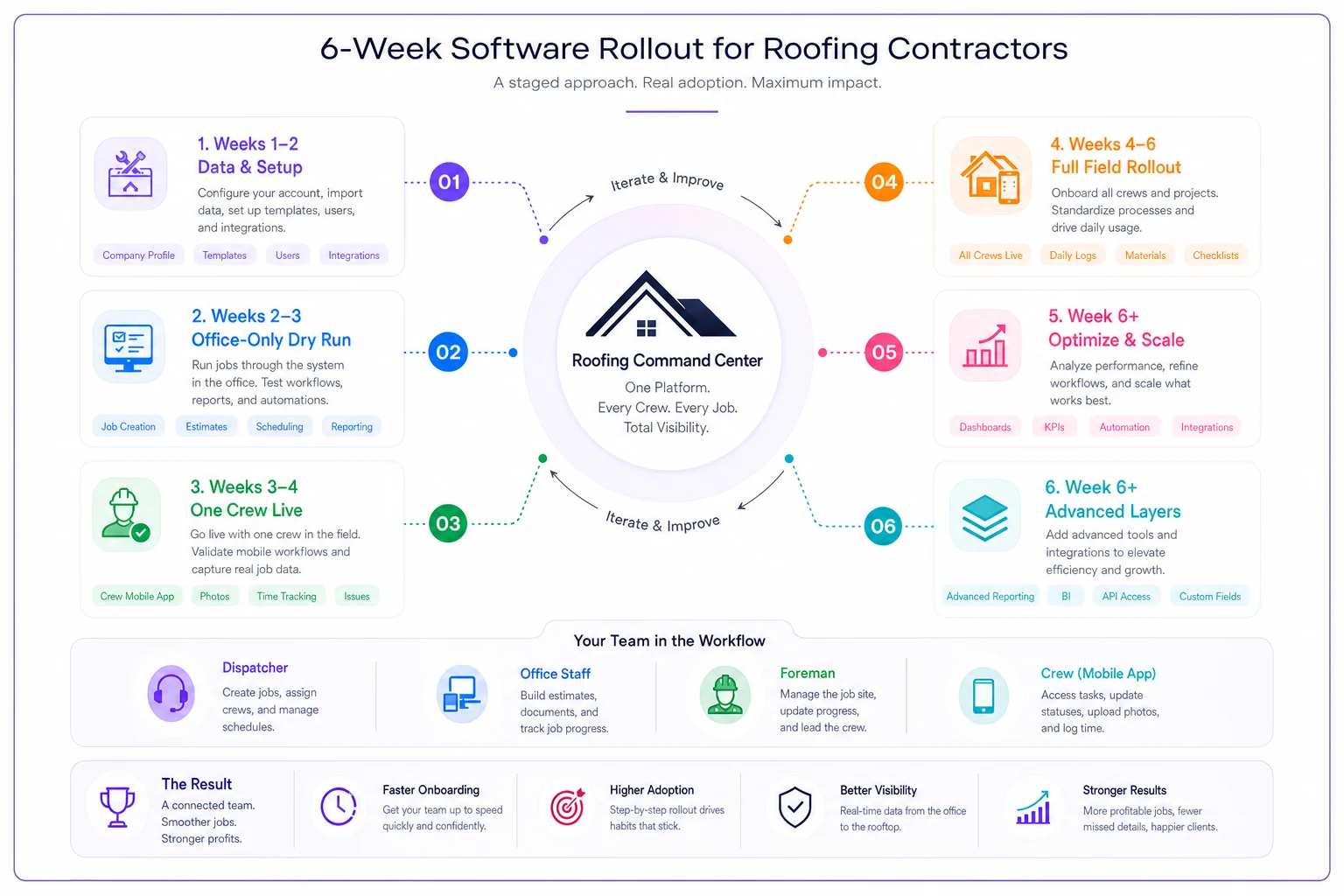
Staging the rollout turns a rough six-week transition into something people actually adopt.
A quick real-world scenario
A residential roofing company running four crews, doing roughly 55–65 jobs a month, was losing time to the usual suspects — crews calling for their next address, materials landing at the wrong site, and the dispatcher rebuilding the board by hand every time a tear-off ran long.
Before switching tools, they estimated they were burning close to a full crew-day each week on re-coordination and dead drive time. Nobody was tracking it as a line item, which is exactly why it kept going unnoticed.
After moving to a dispatch-first platform and staging the rollout over about six weeks, the biggest change wasn't flashy. The dispatcher stopped getting "what's next" calls because crews could see their day on the app. Resequencing a blown-up schedule went from a stressful 15-minute phone chain to a couple of taps. They didn't suddenly take on double the work — they just stopped leaking the half-day a week they'd been losing. The reduction in wrong-site deliveries alone covered a good chunk of the subscription cost.
No dramatic revenue hockey-stick. Just a day that ran the way it was supposed to.
Red flags to walk away from
Some warning signs are worth ending the conversation over:
-
The demo avoids live reassignment. If they keep steering you back to reports and pipelines, the dispatch side is weak.
-
"Offline mode" is vague. Roofing happens in spots with no signal. If they can't clearly explain sync behavior, your field data is at risk.
-
Integration means CSV export. Manual import/export isn't integration. It's data entry with extra steps.
-
No clear data exit. If getting your own data out is difficult, you're being locked in.
-
Per-user pricing with no crew option. For field-heavy operations this quietly balloons.
-
No implementation support. "Most customers self-onboard" usually means "we won't help you when it breaks."
-
Rules that are just tags. If the "rules engine" can't make conditional decisions, it's cosmetic.
If you see one or more of these, it's worth ending the conversation rather than hoping the vendor will 'get better' after you sign.
When a dispatch-first platform is the right call — and when it isn't
It makes sense when you're running two or more crews, your schedule changes frequently, and coordination eats your dispatcher's day. The more moving parts, the more a real routing and rules engine pays for itself.
It's probably overkill when you're a single owner-operator doing a handful of jobs a week. A good calendar and a shared location app may genuinely be enough, and a full platform will feel like a burden you're paying for.
Worth thinking carefully about: if your biggest pain is actually estimating or sales, not scheduling, a dispatch-first tool solves the wrong problem. Match the tool to your actual bottleneck, not the loudest feature set in the demo.
Bringing it together
Choosing roofing management software comes down to being honest about where your days actually break down. If your operation lives and dies by the dispatch board — who's where, what moved, what's next — then the slick CRM features should take a back seat to how well the tool handles movement and real-time change.
Run the demos with your messiest scenarios. Verify the rules engine does real logic. Test the offline mode. Stage your rollout so crews adopt it instead of resenting it. The operational discipline still matters once the tool is in place — the software executes your routing and buffer strategy, it doesn't invent it. For the actual tactics behind building those rules, the breakdown on rule-based multi-stop routing templates and last-minute pivots is worth reading before you finalize any setup.
Pick the tool that makes your worst Tuesday easier. That's the one that'll still be running your schedule a year from now.
Pick the tool that makes your worst Tuesday easier. That's the one that'll still be running your schedule a year from now.
Ready to elevate your roofing operations?
Join hundreds of roofing contractors using Roofyly to streamline workflows, improve crew coordination, and enhance client satisfaction.